

ChatGPT
The Causalytics plugin lets ChatGPT read your LinkedIn posts, messages, interactions, activity and connections. It is read-only: ChatGPT can’t post, send messages or change anything.
Before you start
Section titled “Before you start”- You need a Causalytics account with an active trial or a paid plan that includes API access.
- Causalytics works only in Europe.
Connect
Section titled “Connect”-
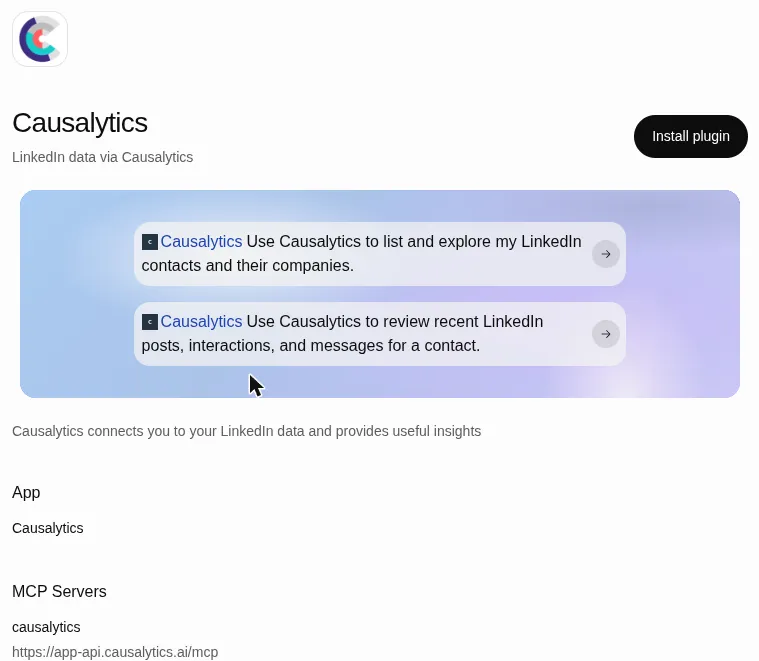
Open Causalytics in ChatGPT Plugins and log in to ChatGPT if needed.
-
Select Install plugin.
-
Sign in to Causalytics when prompted. You return to ChatGPT when the connection is complete.
Use it
Section titled “Use it”Mention Causalytics in a chat, for example:
- Use Causalytics to list and explore my LinkedIn contacts and their companies.
- Use Causalytics to review recent LinkedIn posts, interactions, and messages for a contact.
If you have access to several LinkedIn profiles, for example through a team you were invited to, ChatGPT asks which one you mean.
Troubleshooting
Section titled “Troubleshooting”“Could not complete the connection.” Your account has no eligible subscription. Check that your trial is active or that your plan includes API access, then connect again.
ChatGPT stops being able to read your data. This usually means your trial or subscription has ended. Renew it, then reconnect from the listing if needed.
For other problems, email admin@causalytics.ai.