

API keys
An API key lets your own scripts and tools read your team’s data from the Causalytics REST API. The API is read-only.
Full endpoint and schema reference: API documentation (OpenAPI spec).
Before you start
Section titled “Before you start”You need an active Causalytics trial or a paid plan that includes API access. Without one, API keys does not appear in Settings.
Create a key
Section titled “Create a key”-
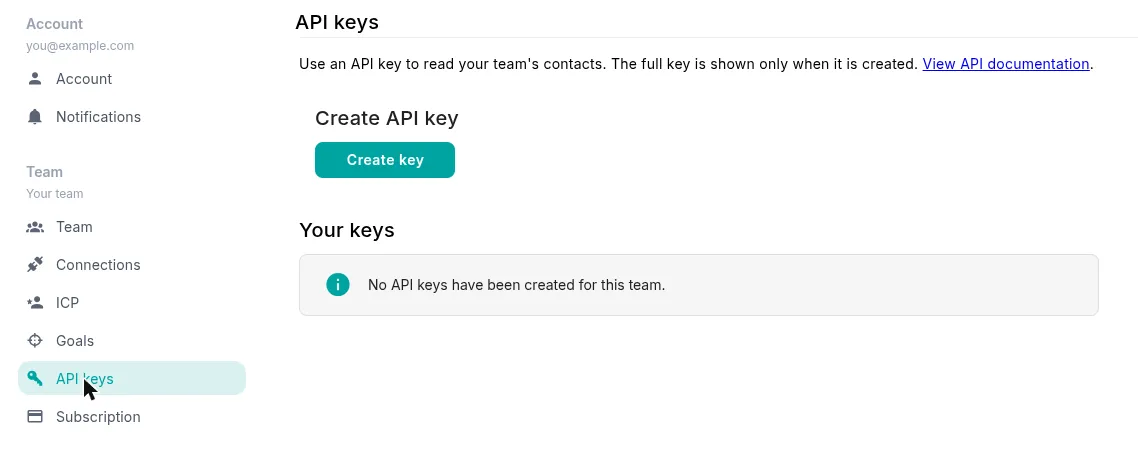
In Causalytics, open Settings and select API keys under Team.
-
Select Create key.
-
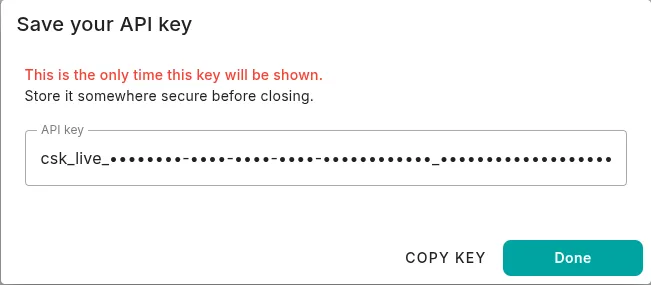
Copy the key and store it somewhere secure, then select Done.
Manage your keys
Section titled “Manage your keys”Your keys are listed under Your keys, with their status and when they were created and last used. Every key gets a generated name, which you can change with Rename.
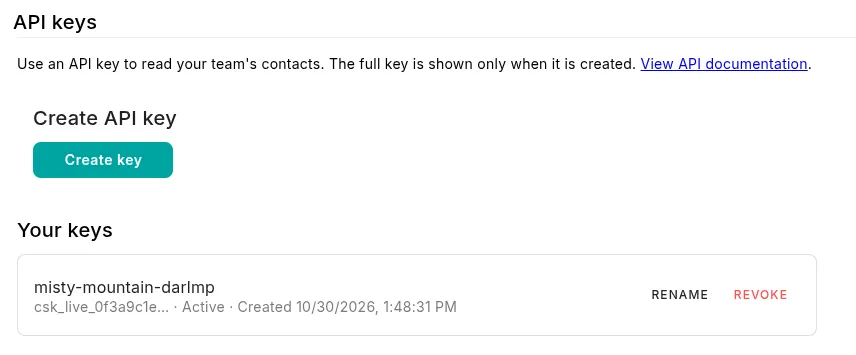
Keys belong to the team, not to the person who created them, and they don’t expire. Any team member can create, rename or revoke them. Revoke stops a key working immediately and can’t be undone.
Make a request
Section titled “Make a request”Send the key as a bearer token. The base URL is https://app-api.causalytics.ai/api/v1.
export CAUSALYTICS_API_KEY="csk_live_..."
curl "https://app-api.causalytics.ai/api/v1/contacts?limit=25" \  -H "Authorization: Bearer $CAUSALYTICS_API_KEY"
List endpoints return one page of results:
{ "total": 1240, "limit": 25, "skip": 0, "data": [{ "id": "…", "name": "…" }]}Use limit (1–100, default 25) and offset (default 0) to page through results.
Endpoints
Section titled “Endpoints”| Endpoint | Returns |
|---|---|
GET /contacts |
Your LinkedIn connections |
GET /contacts/{id} |
One enriched contact, including its priority score |
GET /company/{id} |
One enriched company |
GET /interactions |
Interactions with your LinkedIn profile, newest first |
GET /posts |
Your posts with their latest analytics, newest first |
GET /messages |
Your LinkedIn direct messages, newest first |
GET /activity |
Daily performance values, newest first |
Limits and errors
Section titled “Limits and errors”Each team can make 100 requests per minute, shared across all of its keys and its MCP connections.
| Status | Meaning |
|---|---|
400 |
Invalid pagination or an unsupported query parameter |
401 |
The key is missing, invalid, expired or revoked |
403 |
The team’s subscription doesn’t include API access |
404 |
The contact, company or LinkedIn profile wasn’t found |
429 |
Rate limit exceeded. The Retry-After header says how many seconds to wait |
503 |
The rate limiter is temporarily unavailable. Try again shortly |